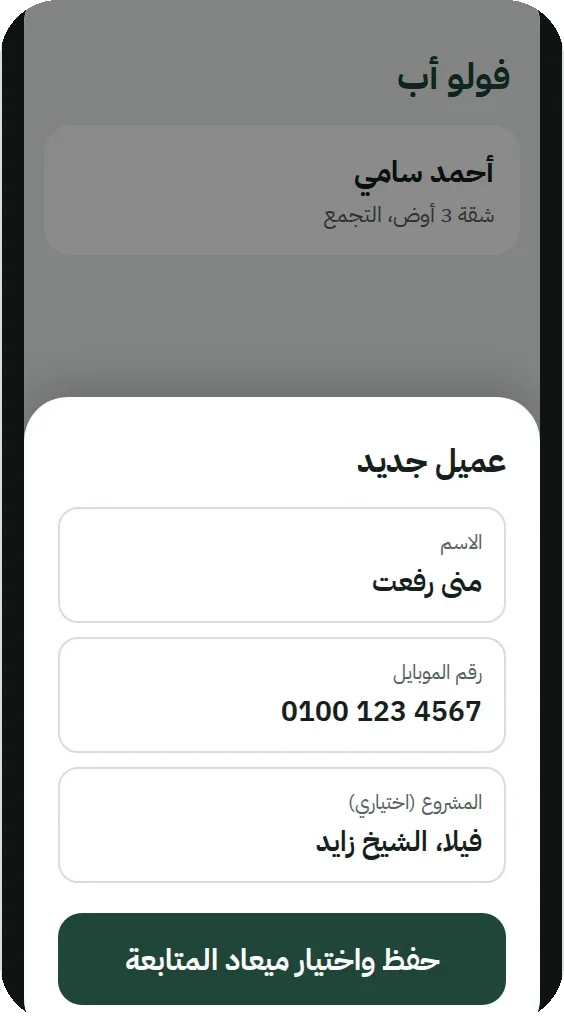
A new client in seconds
Type it or pick from contacts, and set the follow-up in two taps.
For real-estate salespeople
FollowUp One rings at the time of every call and viewing, even on silent and offline. And after you call a client from the app, it asks how it went and when to follow up next as soon as you’re back.
Coming soon to App Store
14 days free, then EGP 1200 a year: EGP 100 a monthEGP 600 a year instead of 1200 (Black Friday offer, all November)EGP 900 a year instead of 1200 (New Year offer, until 7 January).
From your first coffee to your last call, every client on time.
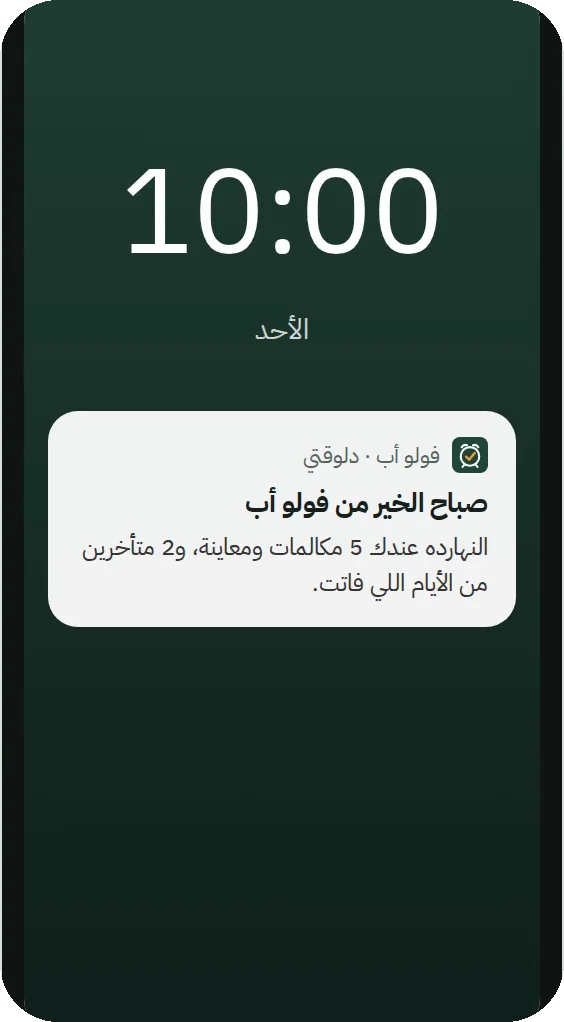
One morning notification: how many calls and viewings you have today, and who’s overdue.
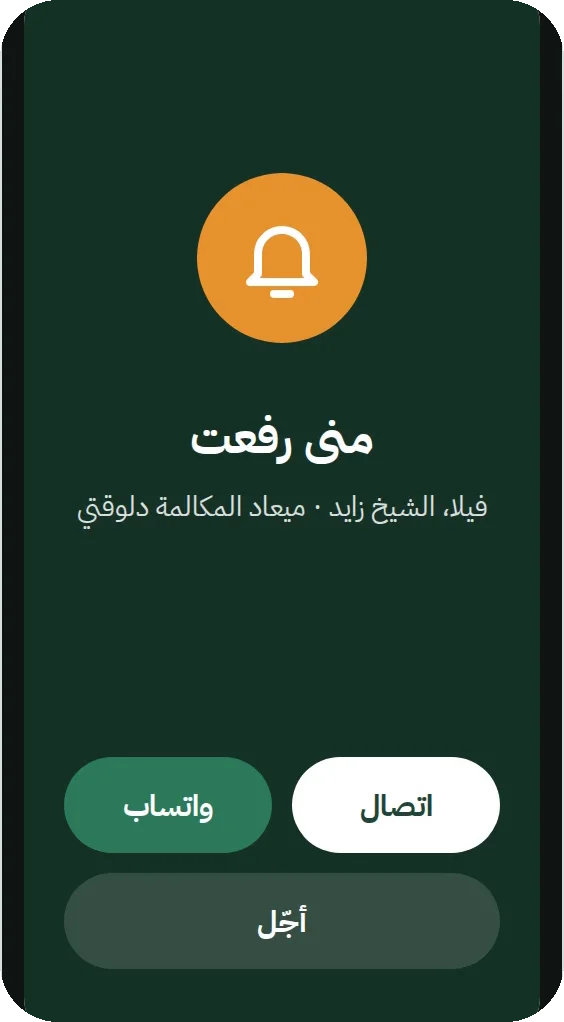
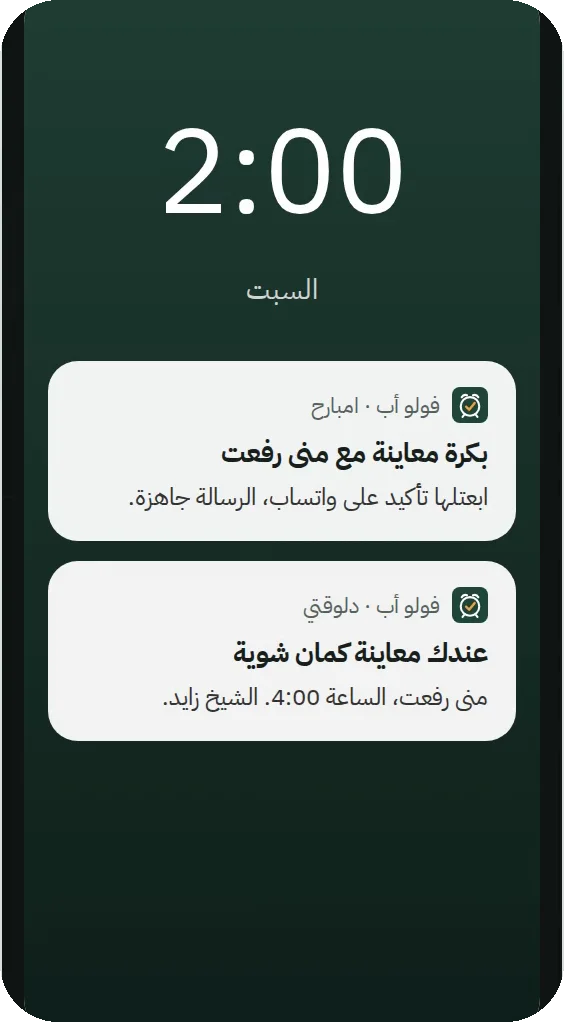
Right on time, with the client’s name and project. Call, WhatsApp or snooze from the same screen.
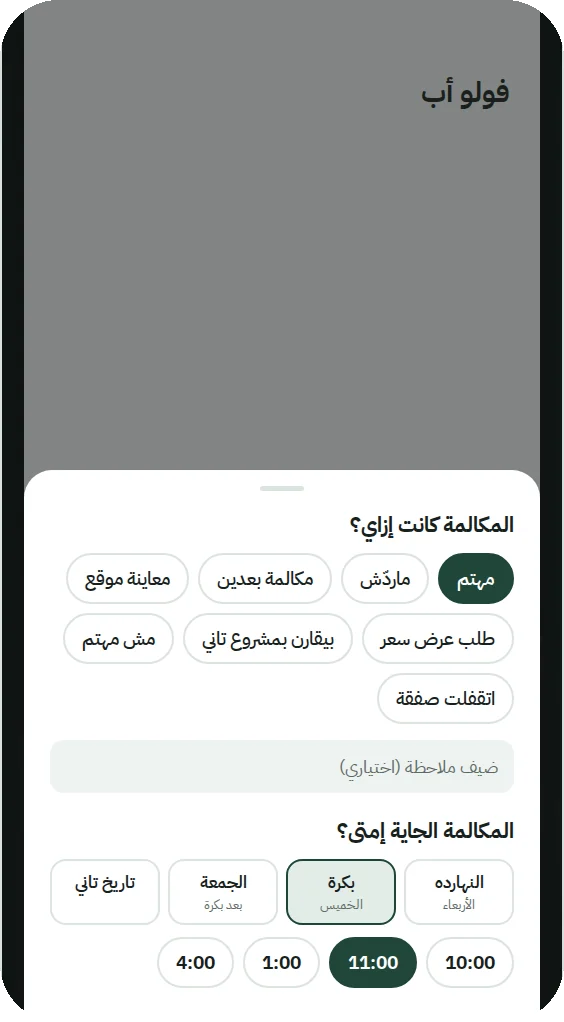
Answered? Interested? Wants a viewing? Pick it, and set the next date without typing a word.
A reminder two hours before, and the day before, a ready-made WhatsApp confirmation for the client.
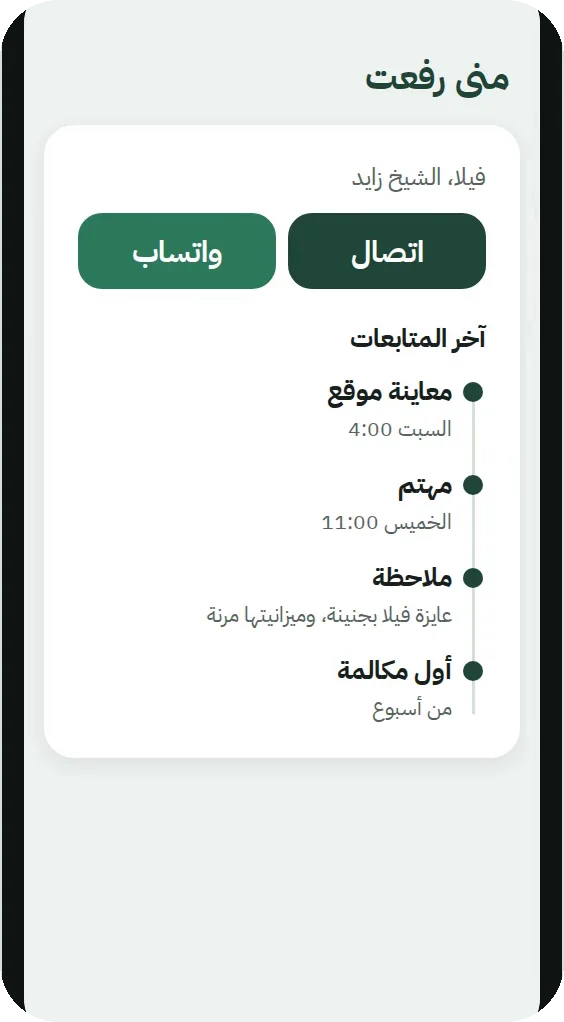
Recent follow-ups, notes and viewings on one page, so tomorrow’s call picks up where you left off.
Type it or pick from contacts, and set the follow-up in two taps.
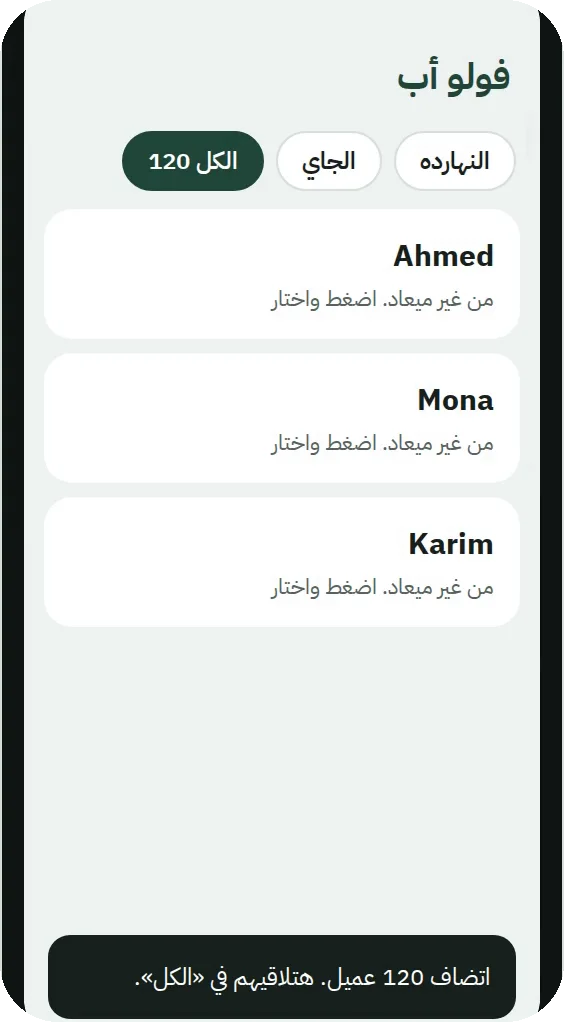
Pick the sheet, and the app finds the name and number columns on its own.
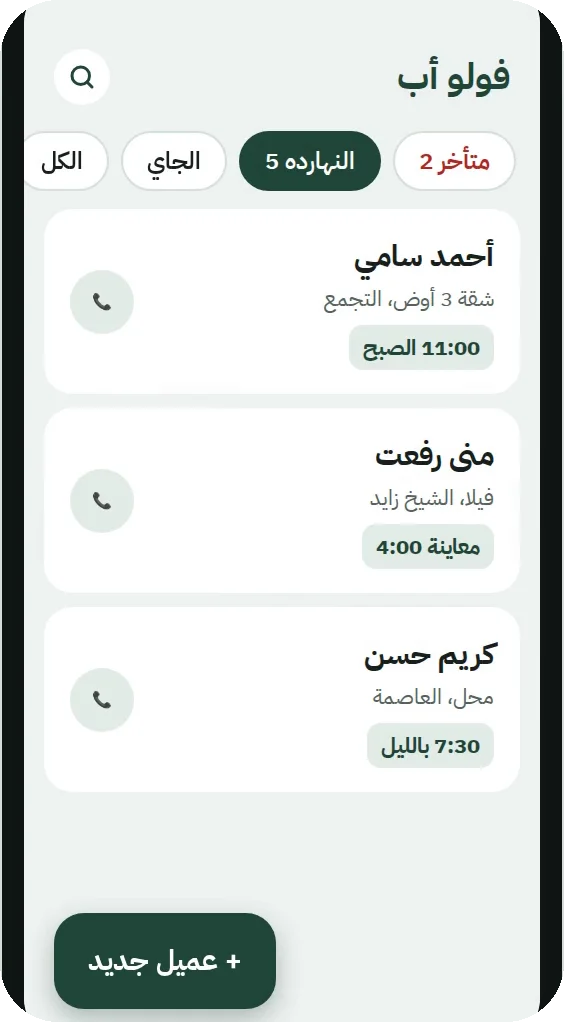
Today, overdue and upcoming. Search by name, number or project.
Paper gets lost, Excel doesn’t ring, and a CRM is built for the company, not for you.
| Paper & Excel | CRMs | FollowUp One | |
|---|---|---|---|
| Reminds you on time | No, you have to remember | A server notification, late when you’re offline | Rings like an alarm, even offline |
| After the call | You write it down, if you remember | A long form to fill in | One tap for the result, one for the next date |
| Getting started | Right away | After company setup and permissions | Download and start in a minute |
| Where your clients live | In a notebook or a file that can get lost | On the vendor’s servers, in the company account | On your own phone, with a backup |
From Google Play: no warnings, and it updates by itself.
It opens FollowUp One’s page on Google Play.
No warnings. From then on it updates by itself.
It opens WhatsApp with a ready-made message containing a code. Just tap send, and your free trial starts right away.
Installed it from this site before? Don’t uninstall it: open its page on Google Play and tap “Update”. Your clients, follow-ups and subscription stay as they are.
EGP 1200 a year
That’s EGP 100 a month
EGP 600 a year
Black Friday offer, all November: a year for EGP 600, and a second year free for your colleague.
EGP 900 a year
New Year offer from FollowUp One until 7 January: a year for EGP 900 instead of 1200.
Once your subscription is on, send us your colleague’s number from “Contact us” in the app; their year starts as soon as they confirm their number. Until 30 November, one colleague per subscription.
The first 14 days are free with every feature. No card, no payment details.
Transfer from any mobile wallet or InstaPay, send the screenshot and your number to [email protected], and your subscription is activated on your number in the app shortly.
 Vodafone Cash
 Etisalat Cash
 Orange Cash
 WE Pay
 InstaPay
 Fawry (soon)
Reminders stop, but all your clients and follow-ups stay where they are. As soon as you subscribe, reminders come right back.
Install the app on the new phone and confirm the same number, and your subscription comes back with you. To move your clients, use “Import & backup” in the app.
Not yet. FollowUp One is on Android now, and the iPhone version is coming soon to the App Store.
Message us from inside the app: “Contact us”. A chat for any problem, complaint or idea, and we’ll answer you right there. You can write to us even before you’ve confirmed your number. Or email [email protected] if you prefer.